Transition
Our transition file is a function that we hook up on to our swup and allows us to
customize what happens when we go from one page to another in the project.
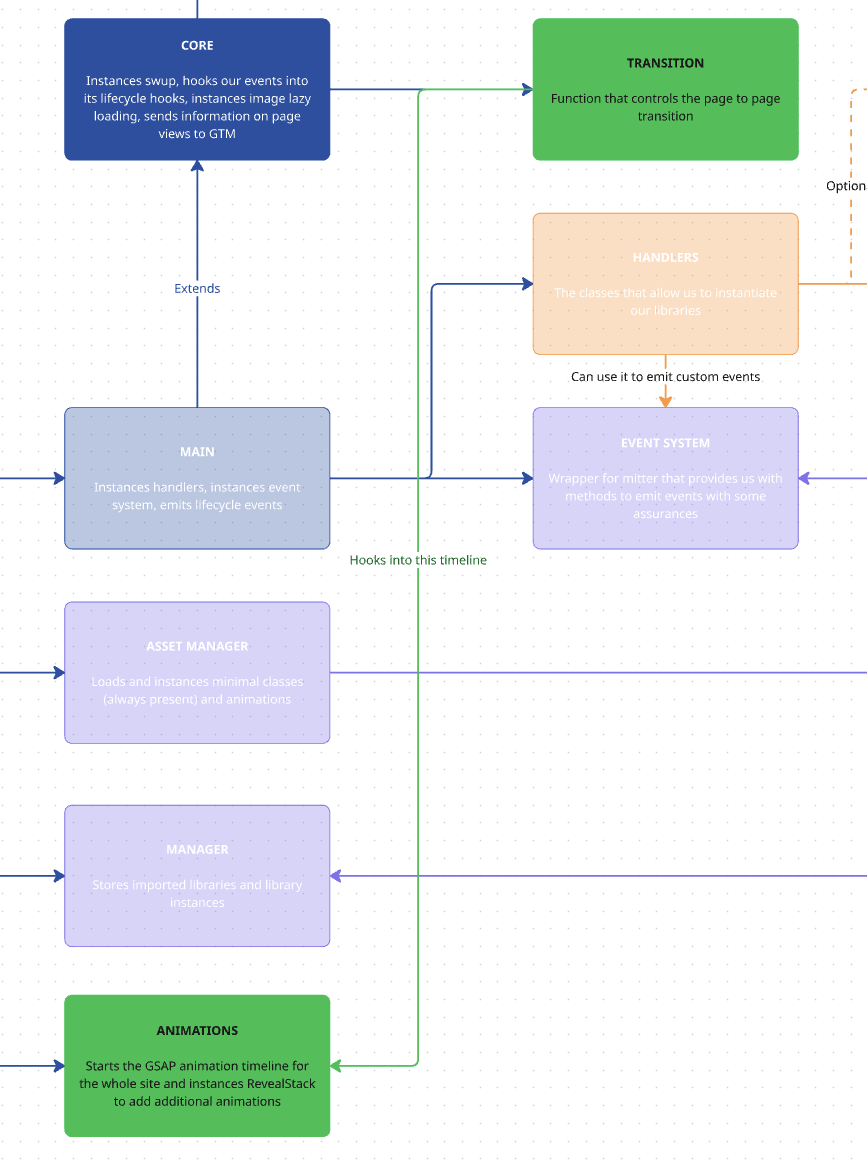
We add this in our Core file:
class Core { constructor(payload) { ... if (this.swupEnabled) { this.swup = new Swup({ ... plugins: [ ... new SwupJsPlugin( createTransitionOptions({ Manager: this.Manager, debug: this.debug, assetManager: assetManager, eventSystem: this.eventSystem }) ), ], ... }) } }}This createTransitionOptions will create a GSAP timeline in our transitions and will add our curtain between pages, aside from triggering our animations and performing our destroys.
return [ { from: "(.*)", to: "(.*)", ... }, ];First we establish where we want our custom transition, in this case, we apply to the whole page.
return [    {        ...        in: async (next, infos) => {            var tl = gsap.timeline({                onComplete: async (next) => {                    next;                },            });            tl.add(                toggleSpinner({                    element: document.querySelector(".c--loader-a"),                    direction: "hide",                    Manager: Manager,                }),                "<20%"            );            tl.add(                new In({                    element: document.querySelector(".js--transition"),                    Manager: Manager,                })            ).add("transitionFinished");
            tl = await assetManager.importAutoAnimations({ tl, eventSystem });        },        ...    },];
Then we establish our in transition, what happens when we arrive to the new page. This would be the equivalent to our MitterContentReplaced event that we hooked up to swup’s lifecycle.
Here we create a timeline, add our spinner using a helper function and instantiate our In class, which will control the animation for our curtain.
Aside from that, we use our AssetManager’s animations import function, detailed here. This will make sure that we load and add to the general GSAP timeline any animations that are present in the page.
return [    {        ...        out: (next, infos) => {                assetManager.destroyAutoAnimations()                var tl = gsap.timeline({                    onComplete: async () => {                        if (window.scrollY !== 0) {                        }                        next();                    },                });                tl.add(                    new Out({                        element: document.querySelector(".js--transition"),                        Manager: Manager,                    })                );                tl.add(                    toggleSpinner({                        element: document.querySelector('.c--loader-a'),                        direction: "show",                        Manager: Manager                    })                );
        },    },];
Finally, in our out method, we control what happens when we go out of a page, so the equivalent to our MitterWillReplaceContent event.
Here we destroy the animations that were present in the page using again one of our AssetManager’s methods, and we instantiate a new Out, that controls the curtain animation for the “exiting the page” part.
Knowledge Check
Test your understanding of this section
Loading questions...